Be yourself; Everyone else is already taken.
— Oscar Wilde.
This is the first post on my new blog. I’m just getting this new blog going, so stay tuned for more. Subscribe below to get notified when I post new updates.
Be yourself; Everyone else is already taken.
— Oscar Wilde.
This is the first post on my new blog. I’m just getting this new blog going, so stay tuned for more. Subscribe below to get notified when I post new updates.
Introduction
If you are a professional 3D designer looking for a CAD program that will offer you the best possible options for creating, designing and rendering a product in 3D, CMS IntelliCAD is your best bet.
Admittedly, there are many other CAD programs that you could choose to use. Some of these are popular brands like AutoCad, Solidworks and Catia. However, with CMS IntelliCAD, you have a 3D CAD program that offers you a whole lot of different creative tools.
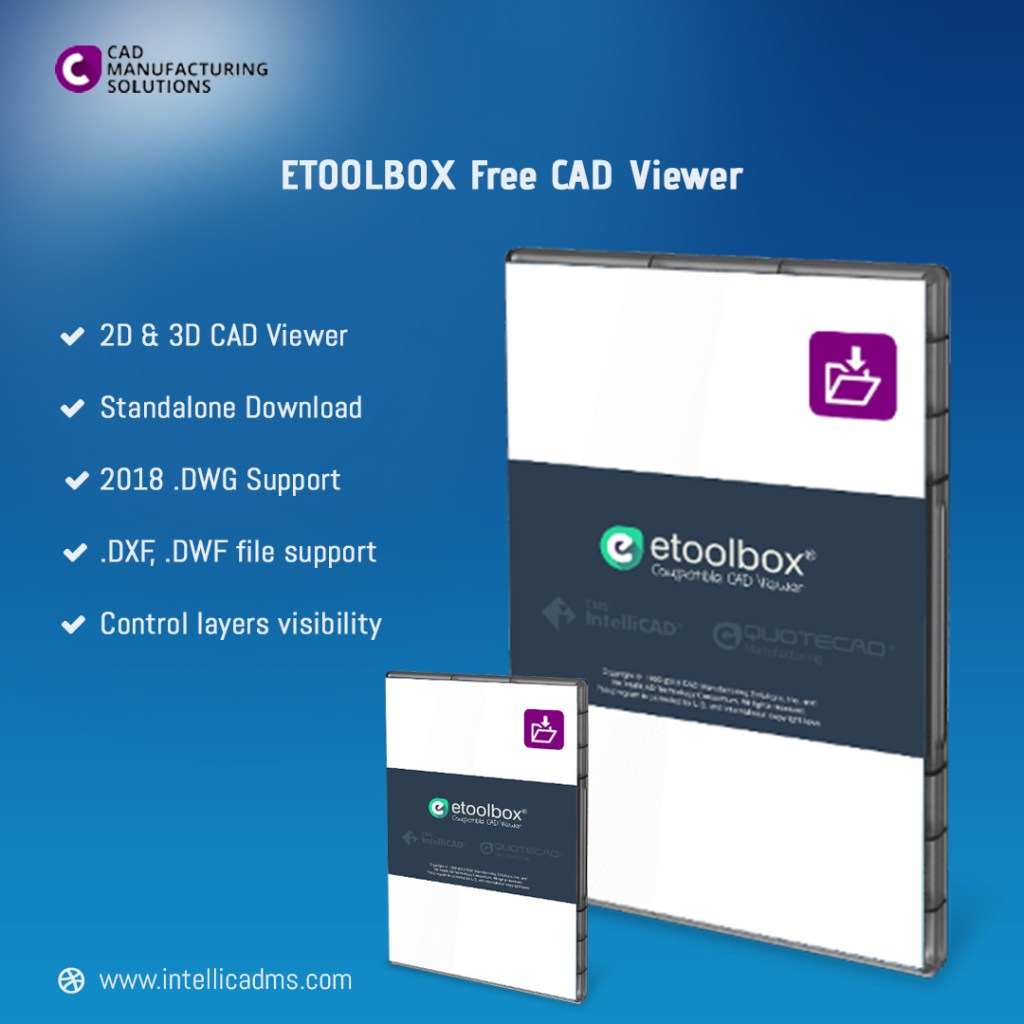
2D and 3D CAD Toolkit
One of the many toolkits available on CMS IntelliCAD is the 2D drawing, illustration and drafting toolkit. This software offers a complete suite of 2D tools provided under an easy to use, self explanatory user interface. 3D CAD drawings, model rendering and presentation tools are also available. In addition, your created 3D models can be opened on other CAD programs such as AutoCAD.
Vast Programming Toolkits and Support
What makes CMS IntelliCAD such a great program for creating and designing new products is its vast programming toolkits. These toolkits are for .Net, LISP, IRX and VBA development amongst others. Apart from an extensive toolkit for programming, CMS IntelliCAD provides users with both BIM and DWG CAD file support. You can also save and open CAD files in .PDF, .IGES, .STEP and DGN formats, which further highlights the program’s dynamism and compatibility.
Work from anywhere and at anytime
Another reason why CMS IntelliCAD is the best CAD program for inventing and product designing is its compatibility with mobile programs like the EtoolBox CAD app and viewer. You will be able to secure all your CAD drawings, drafts and models while being able to save and open them as .DWG CAD files on your Android mobile device for example. These CAD files can also be opened as cloud or web based folders.
As a result of the mobile compatibility of CMS IntelliCAD, you can gain access to and edit your creative product designs from virtually anywhere and at anytime of the day.
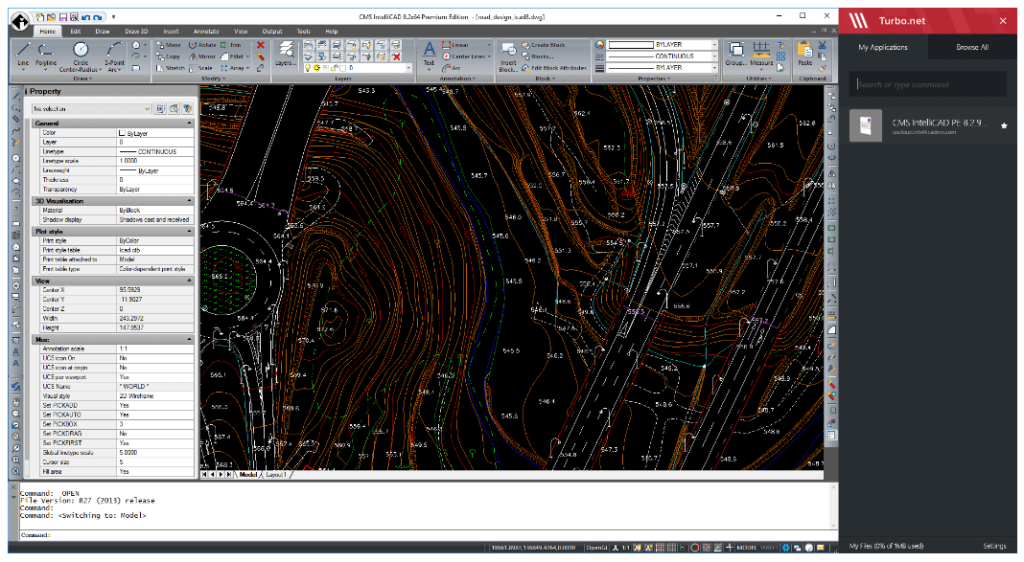
When deciding on which desktop monitor you intend running your 3D CAD program on, there are quite a few things you need to consider.
Some key considerations worthy of mention include the price of the monitor, its resolution, ergonomics, connections, color precision and the size of the screen.
Does the desktop monitor size really matter?
While your work space is important when choosing a monitor to work with, its resolution is equally vital.
At this point in time, a Wide-Quad High Definition or WQHD monitor offers the best possible resolution. There is also the 4K otherwise known as Ultra-High Definition (UHD) which is a widely used monitor.
When it comes to running and working on your high-resolution 3D CAD files, the size of your desktop monitor becomes really important.
If the 2D or 3D CAD images you intend working on are very well detailed, you will not only require a monitor with a very good resolution like UHD, but also one of a decent enough size.
The ideal Monitor Screen size
While WQHD monitors offer a 2,560 x 1,440-pixel ratio, the resolution for UHD monitors is 3,840 x 2,160 pixels. Obviously, WQHD has a better resolution than UHD, but this type of monitor costs more. On the other hand, UHD offers 4x the pixels of a typical 1,080P desktop monitor.
Whether you decide to spend more money getting a WQHD or you decide to stick with a less expensive UHD monitor, you should purchase a monitor ranging from 27 inches to 32 inches in size.
If you get a 29 inches monitor, you will be able to achieve a 21:9 aspect ratio which is great if you want to fully optimize the qualities of your 3D CAD program like CMS IntelliCAD.
Introduction
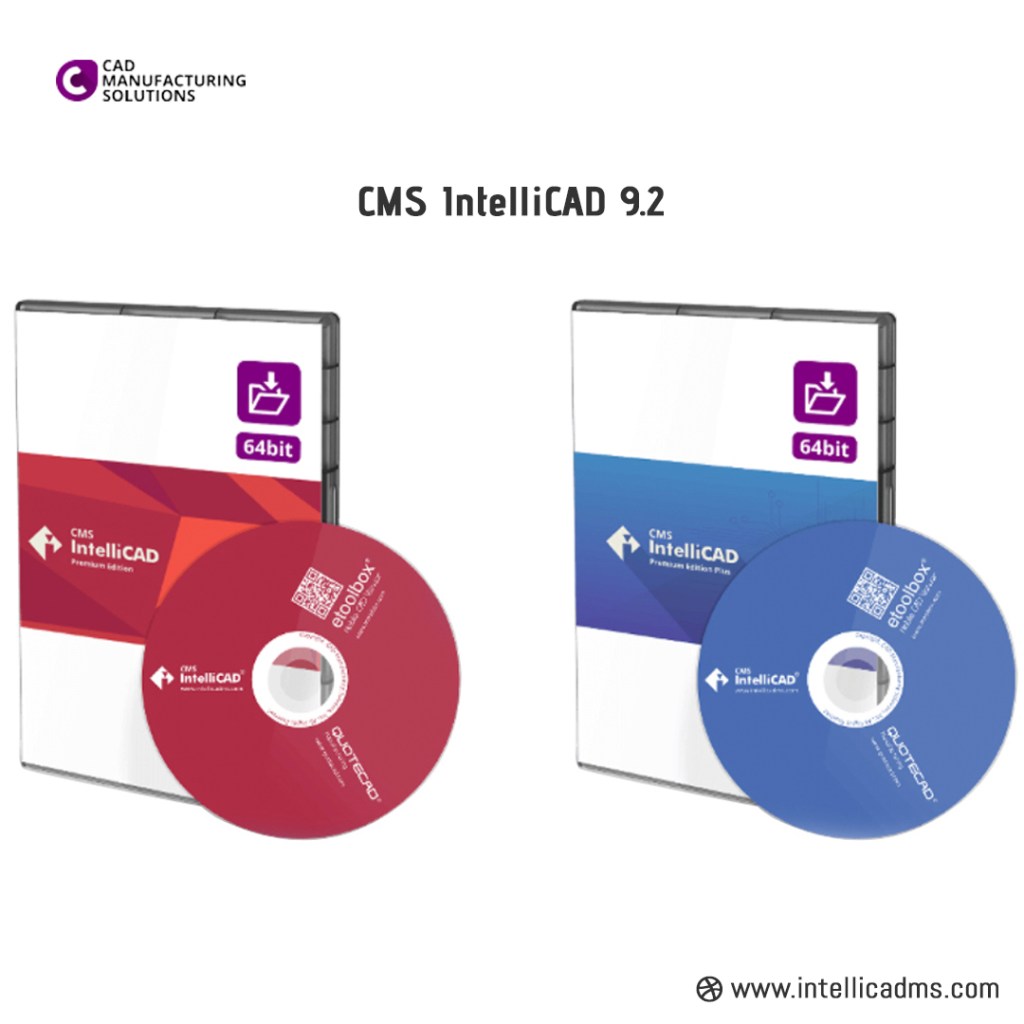
No matter your level of expertise CMS IntelliCAD is the best 2D and 3D drafting software available. This software is designed to offer users a large number of 2D drawings, drafting and documentation options.
In addition, users can also use the software to generate high quality, stable 3D rendered models. While there is other software that offers decent 2D and 3D drafting like AutoCAD, the CMS IntelliCAD software offers quite a few features that stand it out from the rest.
This brief article highlights those features that make the CMS IntelliCAD the best 2D and 3D drafting software around.
Usability
With the CMS IntelliCAD software, you have an interactive and simplistic interface. This software offers user-friendly tools with documentation and webinar training available for users.
Compatibility
CMS IntelliCAD is highly compatible and users can save 2D or 3D drafts in a number of different files. Your drafts, drawings and illustrations can be stored as .dwf, .dxf, .dwg, .pdf, .iges, .dgn and .step files.
Accessibility
You can access CAD files created by CMS IntelliCAD on your desktop, on the web or cloud. This is great if you intend opening the files using your movie device.
Versatility
CMS IntelliCAD is designed for beginners, intermediate and expert level users. Whether you are an architect, engineer or you are into construction, this software will meet your needs. This software offers users the ability to create as well as edit 2D and 3D drafts in either wire mesh or as solid objects.
Affordability
At just $149.95, you can purchase CMS IntelliCAD today. You can also get this software for free, but for a specified trial period and with limited features.
These are some of the reasons why the CMS IntelliCAD is the best 2D and 3D drafting software available. In conclusion, this software is very stable.
Introduction
Starting a small scale manufacturing business involves a lot of planning and organization. Having an ERP MRP software with CAD integration for Small Businesses like the QuoteCAD Manufacturing Software would help place your business in a proper perspective for easier management and control.
This post highlights the functions of QuoteCAD Manufacturing Software that make it one of the most sorts after ERP MRP software with CAD integration for Small Businesses.
What makes QuoteCAD Manufacturing Software so Special?
As an ERP MRP software with CAD integration for Small Businesses, the QuoteCAD Manufacturing Software offers a highly interactive, user-friendly and customizable interface.
This is an economical and affordable software that is designed to meet the organizational and management needs of small scale enterprises. QuoteCAD Manufacturing Software is simplistic and offers a quick setup. Its functions are dynamic, user-interactive and fine-tuned for high performance.
In addition, this software is subject to periodic updates for even greater efficiency and productivity. It is a fully supported software with technical support from CMS available through a number of means, including; Live Chat, Phone call, and Email.
Functions of QuoteCAD Manufacturing Software
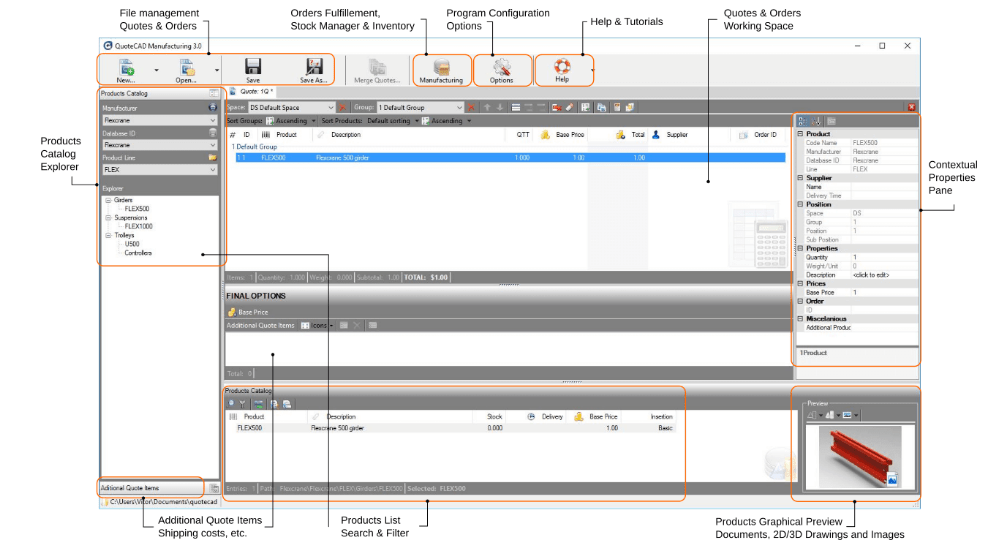
QuoteCAD Manufacturing Software is readily available for a free trial here. This app offers small business owners a number of useful functions that are designed to make your operations more effective and efficient. The goal of these tools is to boost the productivity of small businesses as well as enhance their relative growth and development. Highlighted below are a few functions to look out for;
User-friendly tools for easy and convenient Supplier Chain and Customer Relationship management.
Finally, QuoteCAD Manufacturing Software offers real-time inventory management, and this includes a visual stock level alert. You also have Bill of Materials, Purchase Orders and Customer Orders management features.
For More Information, Visit:- https://www.intellicadms.com
Introduction
If you are an architect, engineer or you are into construction and you want to access your CAD-based designs directly from your mobile phone, the Etoolbox Mobile CAD Viewer is what you need.
Developed by CMS, the Etoolbox Mobile CAD Viewer was designed to enable users to open and view .DWG,.DXF or .DWF files straight from a mobile device.
The beauty of this viewer is that it does not matter if the CMS IntelliCAD software or other CAD software were used to create the files. You would be able to view the .dwg, .dwf or .dxf files with ease on both Microsoft Windows and Android mobile devices.
How to get the Etoolbox Mobile CAD Viewer
Once your CAD software has created files in .dwg, .dwf or .dxf, with an installed Etoolbox Mobile CAD Viewer, you would be able to access the files on your Android tablet or smartphone. If you want to download this viewer to your Android mobile device, you can do so by visiting this link.
This CMS mobile CAD viewer can also be downloaded for FREE on your Microsoft Windows OS personal computer. However, license registration would be required. If you want to download both the licenses and installation files, visit the “DOWNLOAD and STORE” area of the official CMS IntelliCAD software website by clicking here.
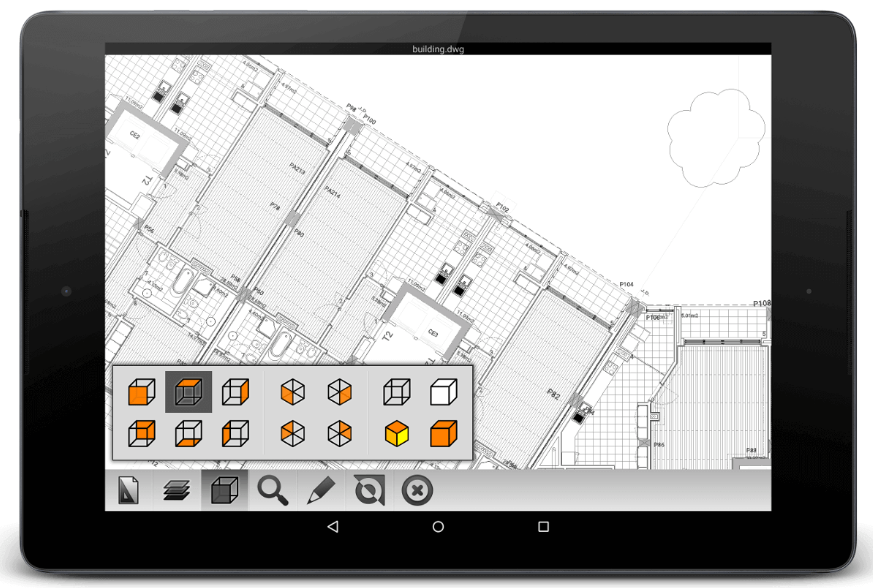
What is the Etoolbox Mobile CAD Viewer all about?
Your drawing/illustration CAD files are kept safe, secure, private and easily accessible when you use the Etoolbox Mobile CAD Viewer. Apart from being able to extract and view .dwg, .dxf or .dwf CAD files on your tablet or smartphone, such files can also be viewed on the web or cloud.
In addition, uploading these CAD files would not be necessary when using this viewer which is not the case with many other similar viewers like AutoCAD 360.
Below is a summary of some of the features of Etoolbox Mobile CAD Viewer;
Read More:- https://www.intellicadms.com/
This is an example post, originally published as part of Blogging University. Enroll in one of our ten programs, and start your blog right.
You’re going to publish a post today. Don’t worry about how your blog looks. Don’t worry if you haven’t given it a name yet, or you’re feeling overwhelmed. Just click the “New Post” button, and tell us why you’re here.
Why do this?
The post can be short or long, a personal intro to your life or a bloggy mission statement, a manifesto for the future or a simple outline of your the types of things you hope to publish.
To help you get started, here are a few questions:
You’re not locked into any of this; one of the wonderful things about blogs is how they constantly evolve as we learn, grow, and interact with one another — but it’s good to know where and why you started, and articulating your goals may just give you a few other post ideas.
Can’t think how to get started? Just write the first thing that pops into your head. Anne Lamott, author of a book on writing we love, says that you need to give yourself permission to write a “crappy first draft”. Anne makes a great point — just start writing, and worry about editing it later.
When you’re ready to publish, give your post three to five tags that describe your blog’s focus — writing, photography, fiction, parenting, food, cars, movies, sports, whatever. These tags will help others who care about your topics find you in the Reader. Make sure one of the tags is “zerotohero,” so other new bloggers can find you, too.

 CAD Software